

Control Media Playing In Chromecast With Your Smartwatch Using Music Boss for Wear App
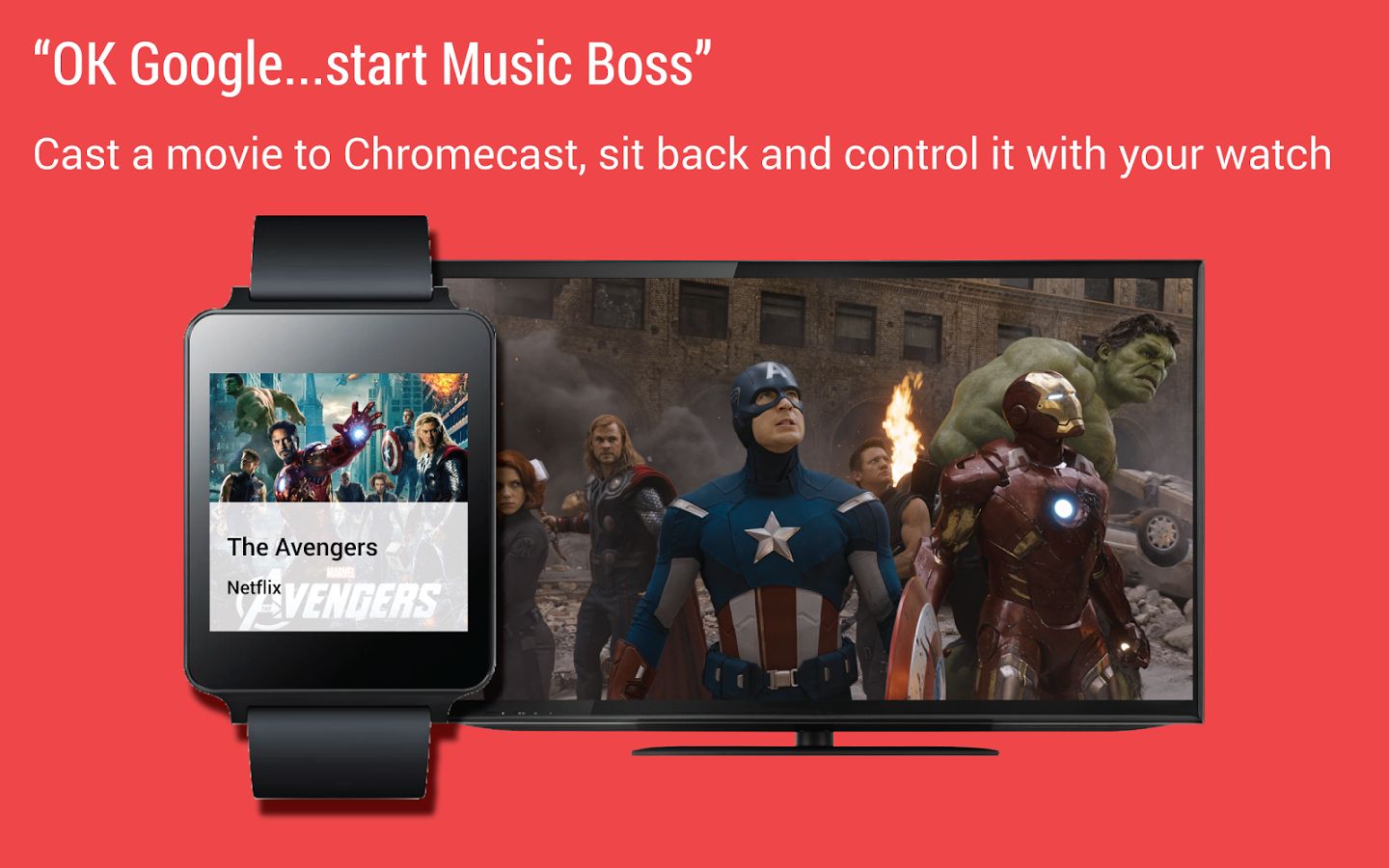
Android Wear devices are slowly gaining its popularity and usability. After smartphones the developers are now concentrating more on developing smartwatch apps to make our life’s much easier.Recently we discussed about the Wear Face Collection app, which is a watch face collection app to Android Wear powered devices. Now we are going into media section, Music Boss for Wear is an app available in Google Play Store to control your Chromecast media content from your Android Wear powered smartwatch.
Must read: Watch Face Collection App Now Available In Google Play Store

There are already some built in music playback control options within Android Wear, but this simple controls like play and pause doesn’t make a complete remote. Using Music Boss for Wear app you can get more control on the chromecast from your wrist. Sound good? yes it is literally first of its kind from a wearable, it empowers you to control all media from your Android Wear powered devices like LG G Watch, Samsung Galaxy Gear Live and Moto 360 (coming soon).
You can open Music Boss with voice or by using the touch screen and swiping to the Music Boss app. The usability of app is very easy, tapping twice on current media play list pause the media. The app also shows the meta data and album art on your smartwatch. All these controllig features of app will cost you $1.99. When comparing features with the price buying the app isn’t a bad idea. You can purchase the Music Boss for Wear app in Google Play Store for $1.99.
Features of Music Boss for Wear
- Displays media information for all media apps. All of them!
- Swipe left and right to skip tracks, Swipe up and down to adjust Volume.
- Quickly check your current Wear Notifications by palming the Music Boss screen to close the app.
- Each song is a unique experience with a media screen that adapts to the current Album Art.
- Media progress for apps that report progress
- Control your media and adjust volume while casting to Chromecast.
- Access a list of your media apps right on the watch to select and launch them on your phone or watch (if there is a wear app for it like Player FM).
- Start music right from your Wear watch by selecting an app and taping the screen the start playing.
Keep reading

Complete Details of RWATCH M26 Smartwatch
Aesthetically, the watch is a rectangle face, color display, soft body, and rubber strap. At the center of the round face is a 1.4-inch color TFT touchscreen
Zeblaze Crystal Smartwatch Complete Details
What is a smartwatch? A watch is capable of doing all smart things on your wrist. After the introduction of smartwatch’s many companies started manufacturing

Oukitel A28 Smartwatch Features and Flash Sale Details
Oukitel A28 wearable with timeless design and with all the major elements required to make a smartwatch. Here is the detailed overview of Oukitel A28