

Bring Widgets To Android Wearable Devices With Wearable Widgets
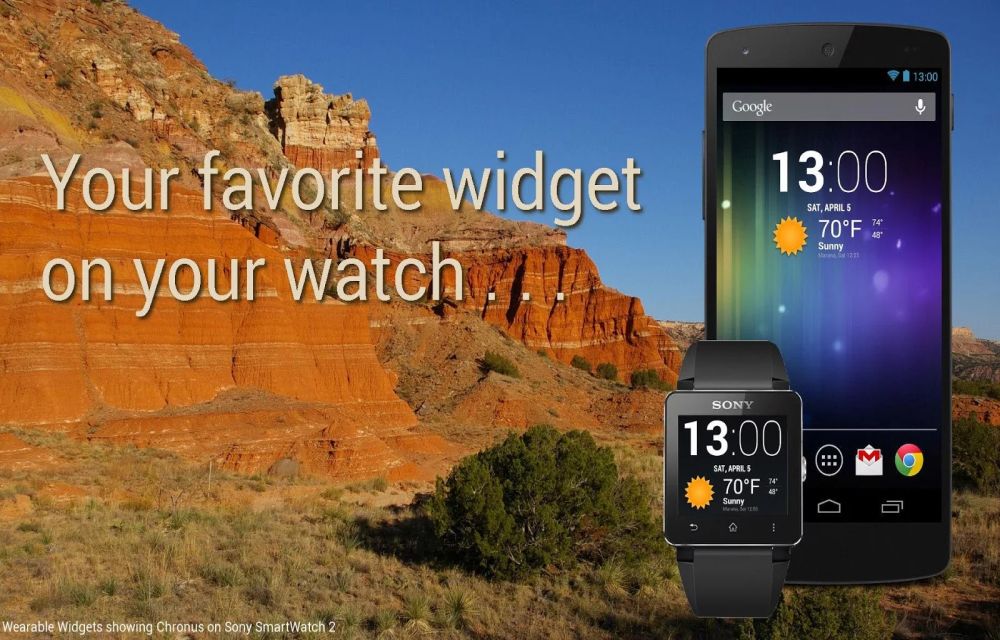
After widgets are in second place to improve the usability of any Android device. Customizing your home screen with widgets improves device functionality. Widgets are part of smartphone, but developers developed widgets for your Android wear. After Google I/O conference developers are engaged to develop beautiful widgets for Android wear.
Behind the concept, it simply sends any widget from your phone to watch. Some issues are common like widget scrolling and lack of sufficiant place to display info on a small screen. In some cases widgets helps you a lot checking temperature, WiFi details and system information. The app supports Google Glass and Android smart watches this time, in future you can expect more usability features. You can download Wearable Widgets from Google Play Store for free and paid versions. In free version you will allow to add one widget only, where as in paid version you can add as many widget as you like.
Keep reading

Complete Details of RWATCH M26 Smartwatch
Aesthetically, the watch is a rectangle face, color display, soft body, and rubber strap. At the center of the round face is a 1.4-inch color TFT touchscreen
Zeblaze Crystal Smartwatch Complete Details
What is a smartwatch? A watch is capable of doing all smart things on your wrist. After the introduction of smartwatch’s many companies started manufacturing

Oukitel A28 Smartwatch Features and Flash Sale Details
Oukitel A28 wearable with timeless design and with all the major elements required to make a smartwatch. Here is the detailed overview of Oukitel A28